
Introduction
Back pain is one of the most common complaints among office workers, largely due to prolonged sitting, poor posture, and improperly designed workspaces. An ergonomically optimized workspace can prevent strain on the spine, reduce the risk of musculoskeletal disorders, and improve productivity and comfort.
Proper setup is not just about buying an expensive chair—it involves correct posture, desk arrangement, equipment positioning, and movement habits. This article outlines practical steps to create a back-friendly workspace.
Understanding Ergonomics and Back Health
What Is Ergonomics?
Ergonomics is the science of designing workspaces and tools to fit the user, not forcing the body to adapt to poorly designed setups. A good ergonomic environment:
- Reduces strain on muscles and joints
- Improves posture
- Enhances comfort and productivity
- Lowers the risk of chronic back pain
How Poor Workstations Affect the Back
- Slouching or leaning forward compresses spinal discs
- Prolonged sitting weakens core muscles
- Improper monitor height strains the neck and upper back
- Awkward arm positioning leads to shoulder tension
Key Principles of an Ergonomic Workspace
1. Chair Setup
- Adjustable height: Feet flat on the floor, knees at 90°
- Lumbar support: Supports the natural curve of the lower back
- Seat depth: 2–3 inches between the back of the knees and the chair
- Armrests: Should support elbows at ~90°
2. Desk and Monitor
- Desk height: Forearms parallel to the floor while typing
- Monitor position: Top of screen at eye level, ~20–30 inches away
- Dual monitors: Keep the primary monitor directly in front, secondary to the side
3. Keyboard and Mouse
- Keep keyboard and mouse at the same level
- Wrists straight and relaxed
- Consider a split keyboard or ergonomic mouse if needed
4. Foot Position
- Feet flat on floor or supported with footrest
- Avoid crossing legs for long periods
5. Lighting
- Reduce glare to prevent leaning forward or craning neck
- Use adjustable task lighting if needed
Movement and Breaks
1. Take Frequent Micro-Breaks
- Stand or walk for 1–2 minutes every 30–60 minutes
- Stretch arms, shoulders, and back
2. Stretching Exercises
- Shoulder rolls and neck stretches
- Standing back extension
- Hamstring stretches
- Cat-cow stretch at desk (hands on chair or desk)
3. Adjusting Posture Throughout the Day
- Sit tall with shoulder blades relaxed
- Keep ears aligned with shoulders
- Engage the core slightly to support the lower back
Additional Ergonomic Accessories
1. Lumbar Cushions
- Enhance natural spine curve for additional support
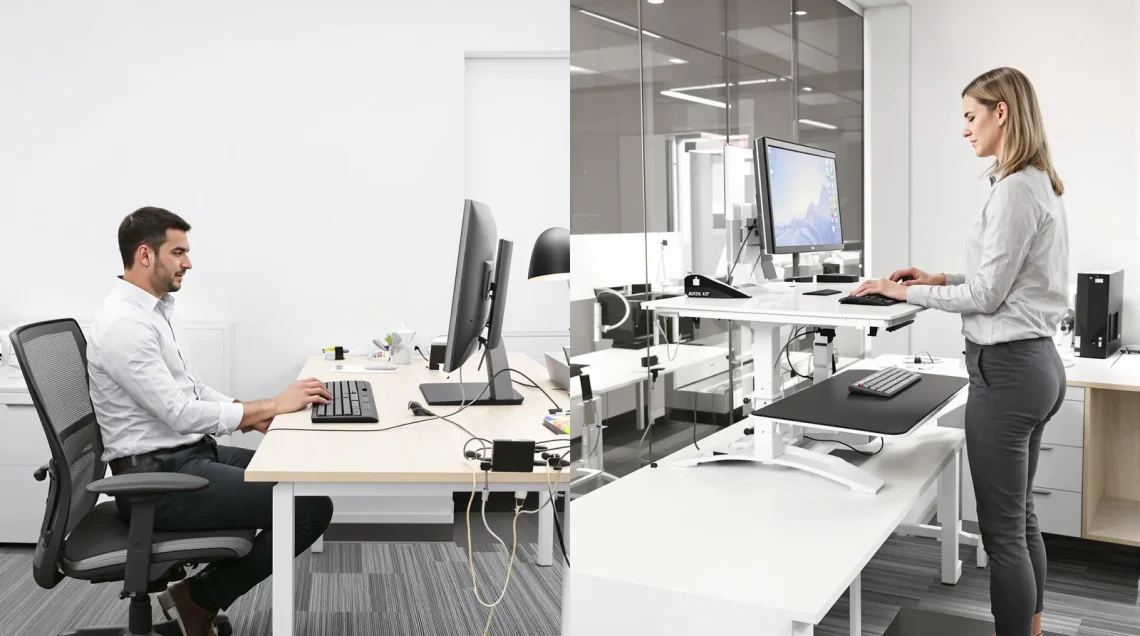
2. Sit-Stand Desks
- Alternate between sitting and standing every 30–60 minutes
3. Monitor Stands or Adjustable Arms
- Bring the screen to eye level
- Reduce neck strain
4. Anti-Fatigue Mats (for standing desks)
- Reduce pressure on feet, knees, and lower back
Lifestyle Factors for Back Health
- Strengthen Core Muscles: Planks, bridges, and gentle back exercises
- Maintain Healthy Weight: Reduces stress on the spine
- Stay Hydrated: Keeps spinal discs healthy
- Exercise Regularly: Walking, swimming, yoga, or Pilates
Red Flags: When to Seek Professional Help
Consult a healthcare professional if you experience:
- Persistent or worsening lower back pain
- Numbness, tingling, or weakness in legs
- Pain radiating down the leg
- Loss of bladder or bowel control
Conclusion
An ergonomic workspace is essential for preventing and managing back pain, especially for those who spend long hours sitting or using computers. By adjusting chairs, desks, monitors, and accessories, incorporating movement, and practicing proper posture, you can protect your back, improve comfort, and enhance productivity. Small changes in your daily routine can have a long-term positive impact on spinal health.
FAQs
1. How often should I take breaks from sitting?
Every 30–60 minutes, stand or walk for 1–2 minutes.
2. Can a standing desk prevent back pain?
Yes, alternating between sitting and standing reduces pressure on the lower back.
3. What is the correct monitor height?
The top of the screen should be at eye level, about 20–30 inches from your eyes.
4. Should my feet always touch the floor?
Yes, or use a footrest if the chair height doesn’t allow it.
5. Can ergonomic chairs alone prevent back pain?
Not entirely—posture, movement, and exercises are equally important.